Public test — not finalWindows 10/11 x64 · 0.1.0-beta.8
Video Pilot
Prepare video for VEGAS, or upscale it with local AI.
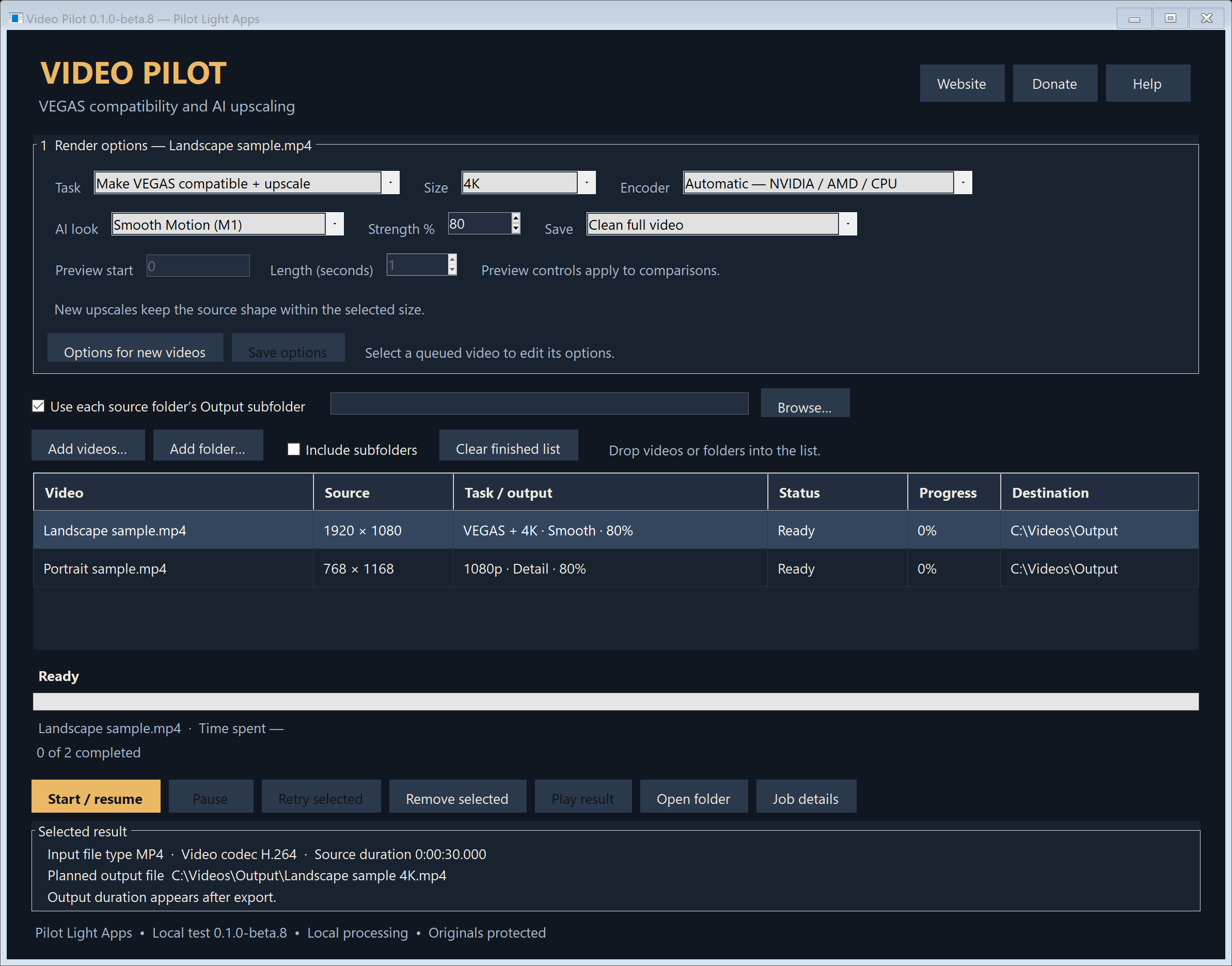
Convert MP4 and MKV videos to editing-friendly H.264/AAC, or upscale with local AI while keeping the original proportions. Compare aligned views, review result details, and keep the originals.
Compatibility-only mode keeps source size and frame timing, with AI enhancement off
1080p and 4K size limits preserve source proportions; clean upscales add no padding
Smooth Motion (M1) and Fine Detail (M3) with adjustable blending strength
Aligned split-screen comparisons with full-view, centre-detail and full-screen playback
Selected result shows input format, output location and source/output durations; processing time is separate
Drag and drop files or folders, then edit each queued video separately
Visible destinations and separate output files; originals stay in place
NVIDIA encoding, AMD encoding in beta, and CPU fallback
Local progress, safe pause and saved checkpoints for resuming
Website and optional donation links; no account or subscription required
Get started
From download to ready.
Download VideoPilot-Windows-0.1.0-beta.8.zip.
Choose Extract All into a new folder and keep every extracted file and folder together. Pause and exit an older version before updating.
Open Video Pilot.exe. Start with a short copied or non-critical test clip.
Select a queued video, choose its task and destination, and wait for Saved or click Save options.
Press Start / resume. Review the finished video before relying on it in an edit.
Good to know
Clear before you install.
This is a public test build. Keep the originals and begin with a short test clip.
Windows 10/11 x64, .NET Framework 4.8 and Microsoft Visual C++ x64 Redistributable are required. AI upscaling also needs a Vulkan-capable graphics driver.
Compatibility-only mode converts format without AI smoothing or upscaling. The combined task upscales and exports H.264/AAC in one job.
For new upscales, 1080p and 4K set size limits. The source proportions determine the actual output dimensions; clean exports add no bars.
Existing queued recipes and finished files are preserved. Re-add the original clip or save changed render options to use the new upscale behavior.
Split comparisons show aligned original and processed sections in one frame. A 4K comparison also includes a 1080p view of the processed result.
AMD encoding is included in beta but has not yet been verified on an AMD graphics card.
This build supports common SDR, progressive, square-pixel footage. HDR, interlaced and anamorphic inputs are held for separate treatment.
AI and comparison jobs require constant frame timing. Clean compatibility conversion can preserve variable frame timing.
An unfinished AI checkpoint may repeat after resuming; a whole-file compatibility encode restarts if interrupted.
The app is unsigned. Windows may show an unknown-publisher or reputation warning. Download only through the official links.
Actual VEGAS import/render, restarting and resuming on another Windows computer, and AMD hardware testing are part of this test round.
Report problems through the Pilot Light Apps support page or GitHub issues. Include the app version, Windows version, graphics card, chosen options and the error text; avoid posting private videos or personal paths.